PYRSEIA
Data over SMS · by Aaratus, Inc.
Patent pending · On-device AI

A photo in about 1 KB. Sent as plain text.

Pyrseia shrinks photos, voice notes and small files into a short run of ordinary text on the phone. It travels as ordinary SMS today, and it is built for satellite text links. The same AI on the receiving phone turns it back into the photo, voice note or file. No server and no data connection.

911 BPhoto, 384×216 px1
≈820 B10 s voice, clear3
3.0 sPhoto at 2.4 kbps4
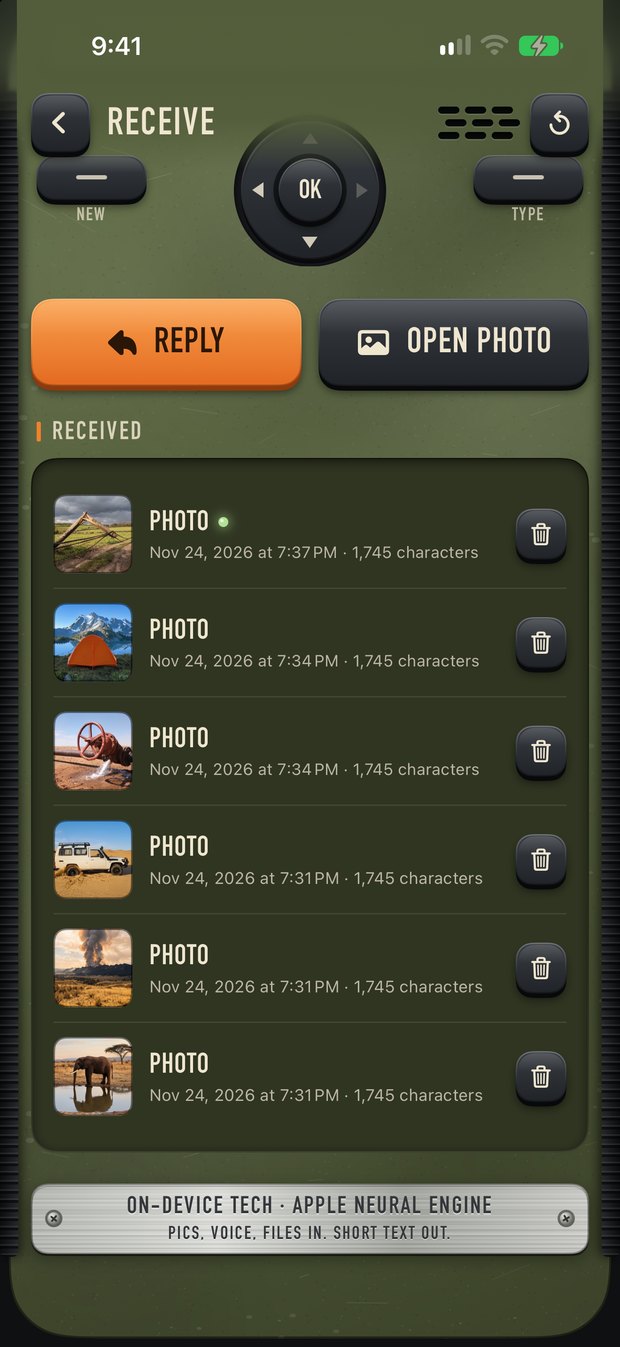
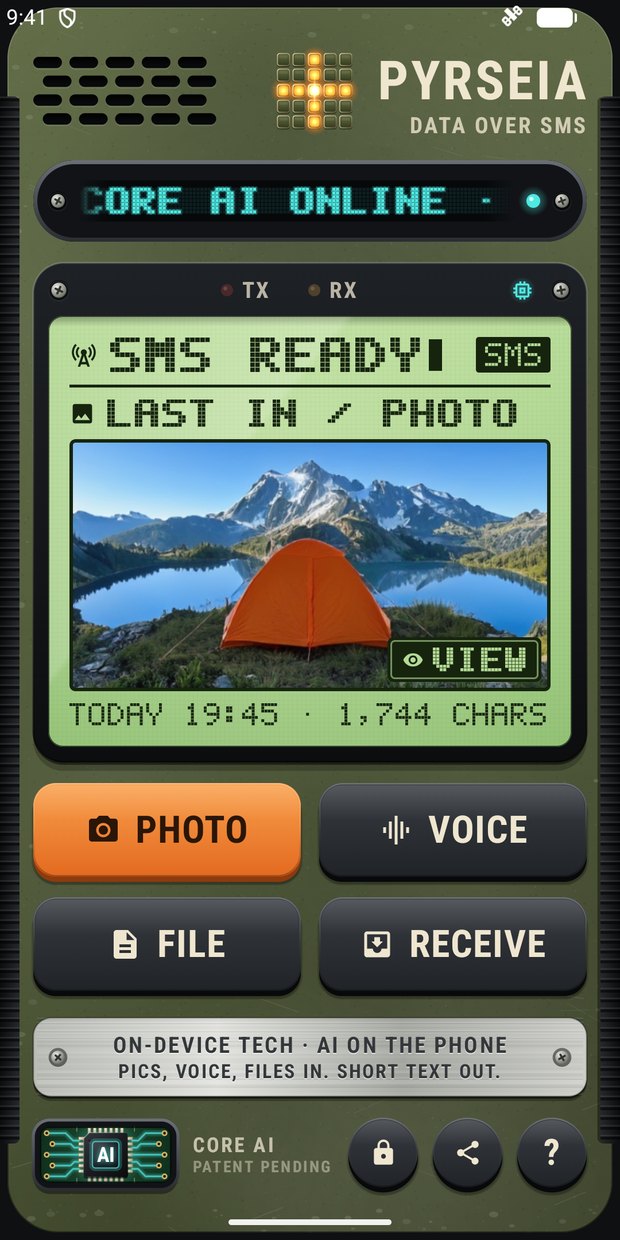
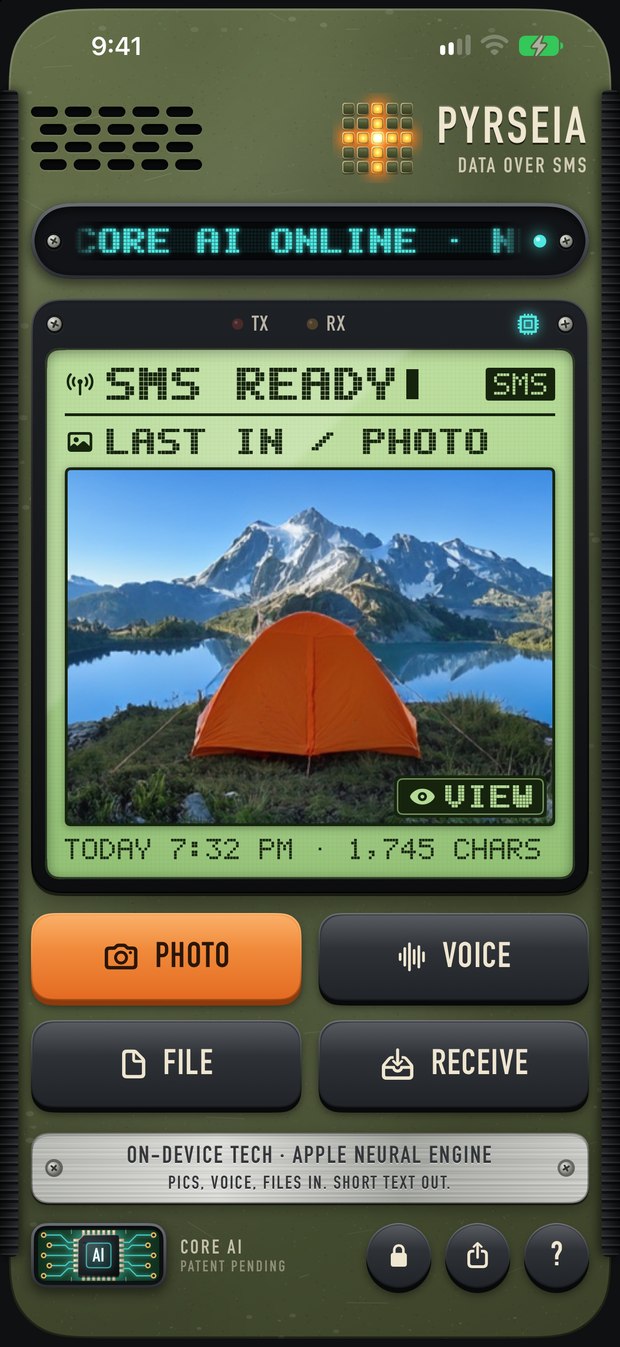
Pyrseia home screen: a photo of a mountain camp just received over SMS, with Photo, Voice, File and Receive keys
Pyrseia on iPhone · also on Android
The problem

Satellite links carry text. Phones take megabytes.

Narrowband satellite and SMS bearers were built for short messages. A single photo from a modern phone is thousands of times larger than what they move comfortably, so the people who most need to show what is happening often can't.

2.5 MBA 24 MP phone photo, saved as HEIC2
2.3 hTo send that photo at 2.4 kbps, before any protocol overhead4
160Characters in one standard text message

Time to send one photo at 2.4 kbps

Log scale · payload only4
Photo as taken HEIC, 2.5 MB
2.3 h
Chat-app copy 1600 px JPEG, ≈320 KB
18 min
Same small picture as JPEG 384×216, ≈18.7 KB
62 s
Pyrseia 384×216, 911 bytes
3.0 s
Why now

Satellite texting has reached ordinary phones. Pictures haven't.

Operators are bringing satellite text to everyday handsets, but the links are built for short messages. Pyrseia turns a photo or a voice note into text, so it can use the text path that already exists.

270+Operator–satellite partnerships announced worldwide by April 20267
Text onlyApple's Messages via satellite carries no photos, videos or audio messages8
≈1 KBA Pyrseia photo: small enough to travel as a handful of texts1
Try it on twelve photos

What travels, and what the other phone shows

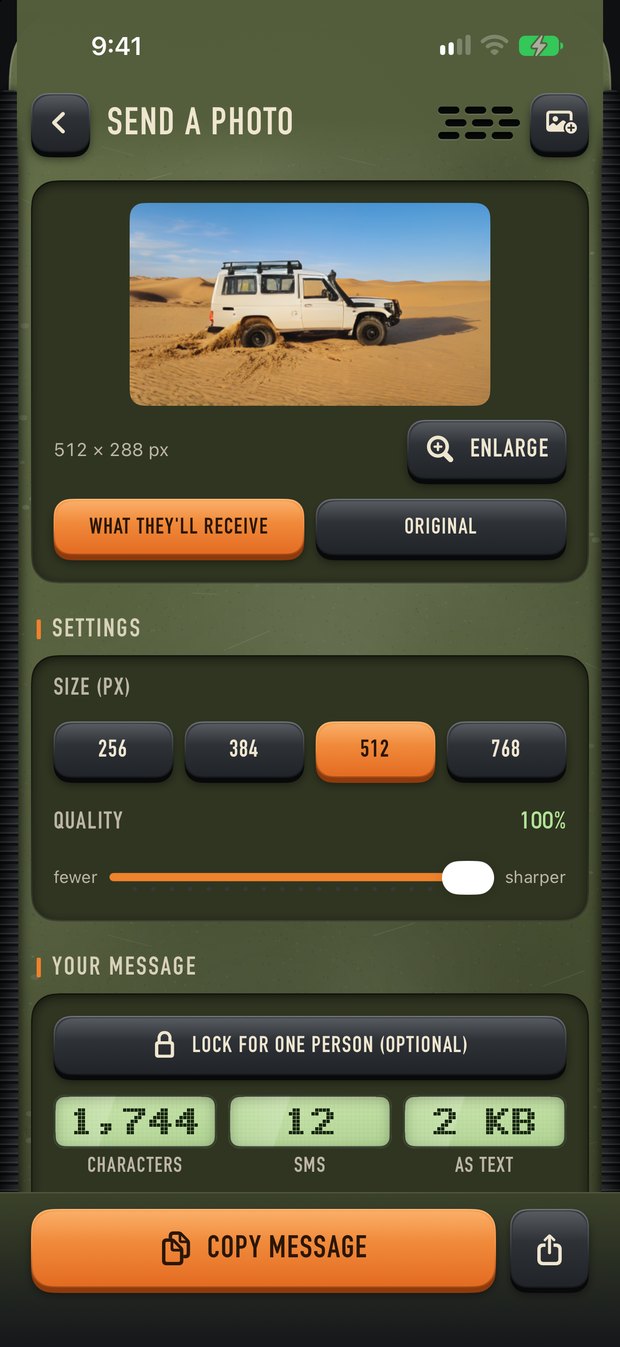
Pick a photo and a size. The phone turns the photo into plain text, and the receiving phone turns that text back into the picture. The received pictures are the actual output files.

Note“Stuck, not hurt. Track is soft from here on.”

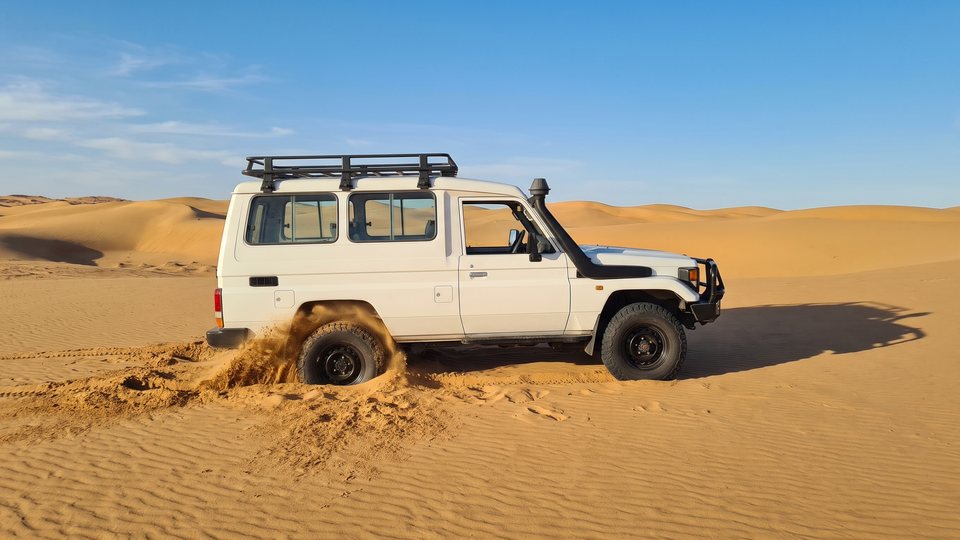
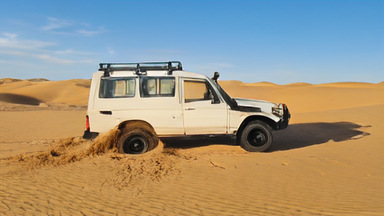
On the sender's phone: a white 4x4 stuck in desert sand with sand thrown up behind the rear wheel
On the sender's phonethe photo
over the link 911 B 8 SMS · 3 × 340 B
On the receiving phone, from 911 bytes: a white 4x4 stuck in desert sand with sand thrown up behind the rear wheel
On the receiving phone384 × 216 px

Every one of the 25 sample photos on this page came to the same size at full quality: 911 bytes at 384 px and 1,341 bytes at 512 px. For a given shape and size, you know what a photo will cost before you take it.1

How it works

Three steps. Two phones. Nothing in between.

STEP 1

Shrink

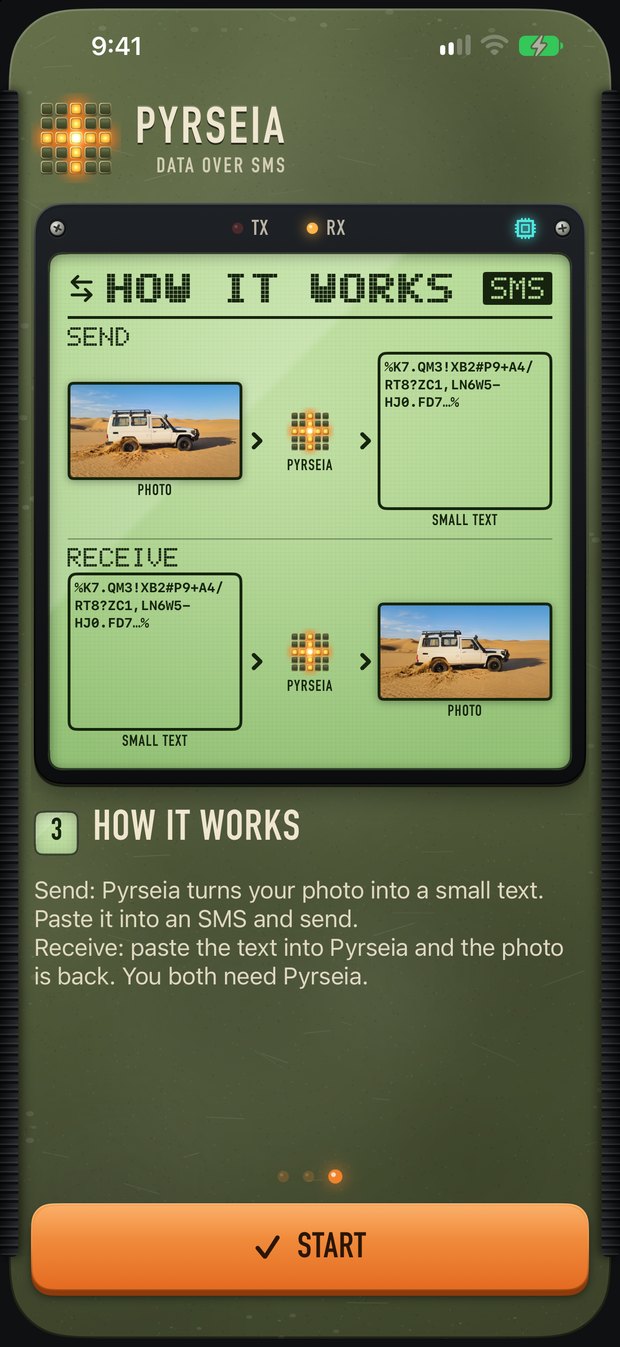
On the sender's phone, our proprietary, patent-pending AI codec reduces a photo to about a kilobyte, or a voice note to a few hundred bytes.

On the phone · offline
STEP 2

Send as text

The result is a short block of plain 7-bit text. Paste it into an SMS or a chat, the same way you would send any text. Long messages can go as numbered parts.

Any text bearer
STEP 3

Unshrink

The receiver pastes the text into Pyrseia. The same AI on that phone turns it back into the photo or voice note. Damaged or cut-off text is detected and refused.

On the phone · offline
What it carries

Photos, voice notes and small files

0.9–1.3 KBPhoto, 384 to 512 px

Photo

Four picture sizes from 256 to 768 px and a quality control. The sender sees exactly what the receiver will get before sending.

  • About 6 to 13 SMS at full quality5
  • Optional extra detail for faces
0.2–0.8 KBPer 10 s of speech

Voice note

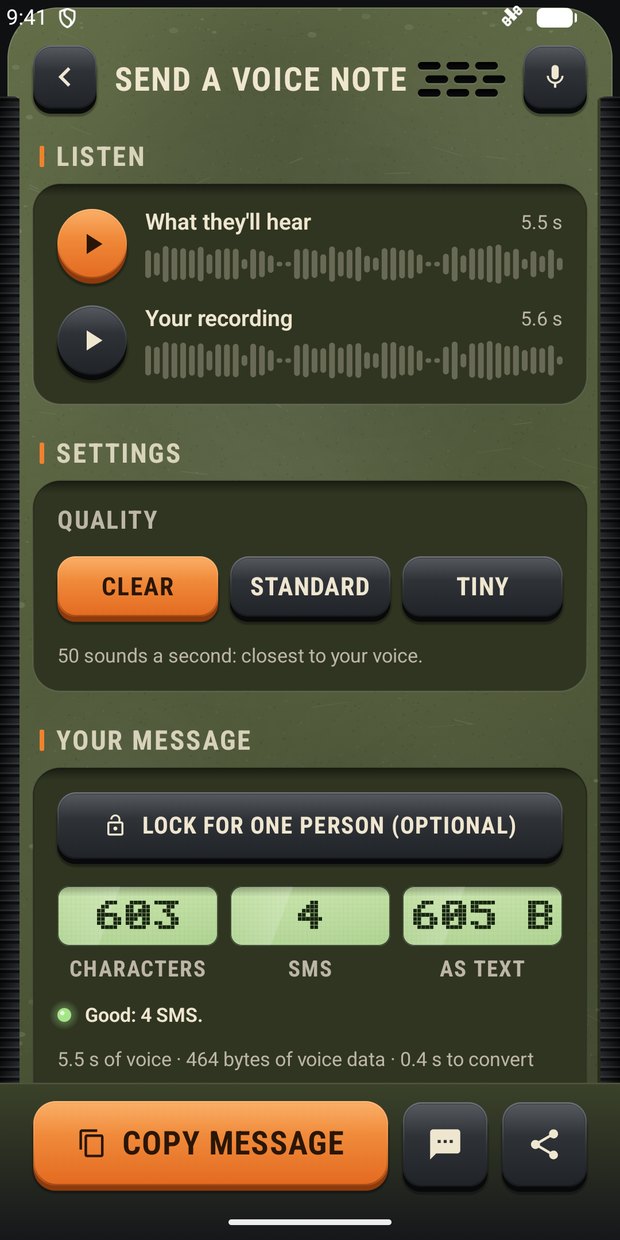
Up to 30 seconds, in three qualities. The clearest setting runs at about 0.7 kbps; the smallest at under 0.2 kbps.3

  • 2, 4 or 8 SMS per 10 s
  • Plays right in the app
≤ 8 KBAfter packing

Small file

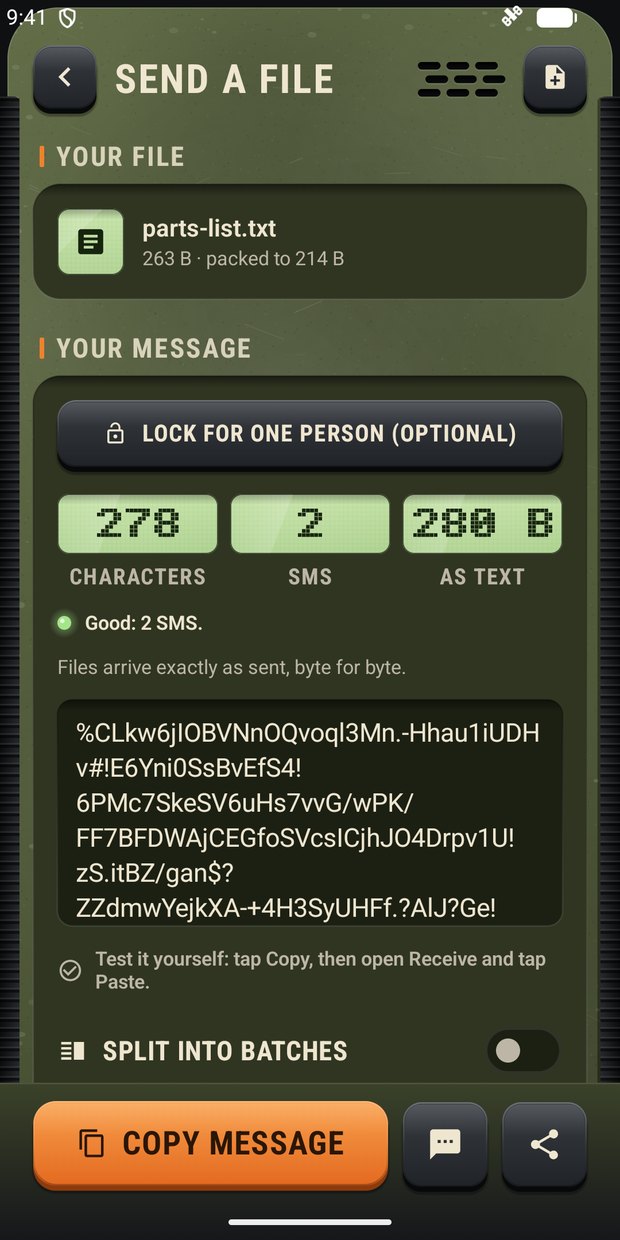
Notes, lists, contacts, coordinates. Files are compressed and delivered exactly, byte for byte, with the file name.

  • A 744-byte note packs to 223 bytes: 2 SMS6
  • Up to about 70 SMS
Use cases

Show it and say it, from beyond data coverage

A text says that something happened. A photo and a few seconds of voice show what it looks like and what is needed next. Every picture in this section is the received one, opened from about 1.3 KB of data.1

Example

One fault report, three messages

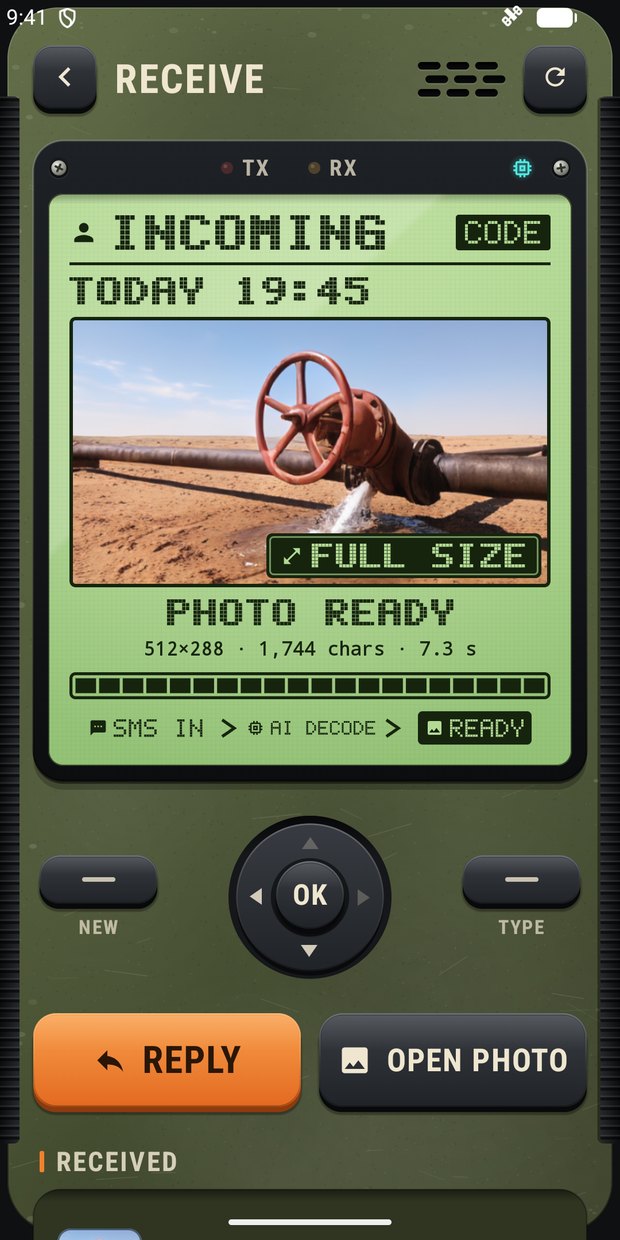
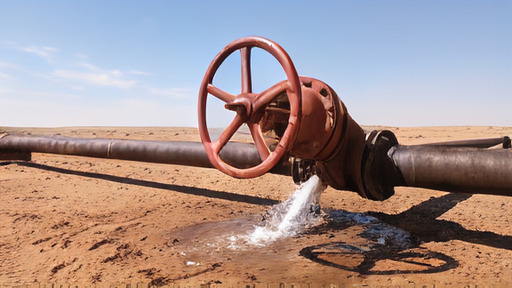
A pipeline technician finds a leaking valve far from mobile data. The phone still has SMS. They take a photo, record ten seconds on what they've done and what they need, and attach the parts list.

The control room pastes each message into Pyrseia: the photo appears, the voice note plays and the list opens, exactly as typed.

Received photo: a red pipeline valve in the desert with water jetting from underneath
“Valve leaking at the flange. Need a seal kit.”received
PhotoLeaking valve512 px, 1,341 B12SMS
VoiceWhat was done, what's needed10 s, standard, ≈420 B4SMS
FileParts list744 B, packed to 223 B2SMS
Total≈2 KB of data≈7 s at 2.4 kbps18SMS
Photo6–13 SMS Voice2–8 SMS per 10 s Filefrom 2 SMS Lockedopens only on the paired phone
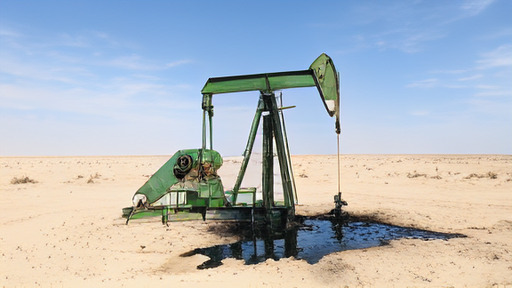
Received photo: a pump jack with a pool of oil
“Leak at the base. Pump is off.”received

Energy and pipelines

Field technicians · pipeline patrols · wellsite and HSE crews
  • PhotoA leaking valve, a smashed panel or a spill at the pump, for the control room
  • VoiceThe shift handover: what changed and what is still open
  • FileGauge readings or a parts list, exactly as typed
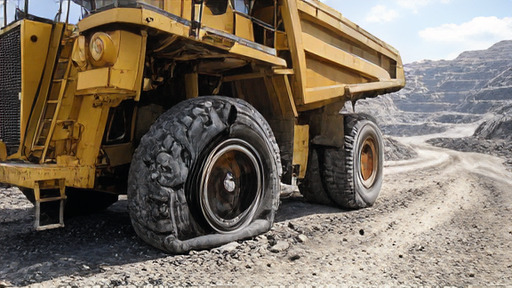
Received photo: a mining truck with a burst tyre
“Front left tyre gone. Truck is stopped.”received

Mining and exploration

Pit supervisors · maintenance crews · exploration geologists
  • PhotoA burst tyre, a failed hose or a blocked tunnel mouth
  • VoiceThe symptoms of a plant stoppage, in the technician's own words
  • FileA sample log or drill-hole notes
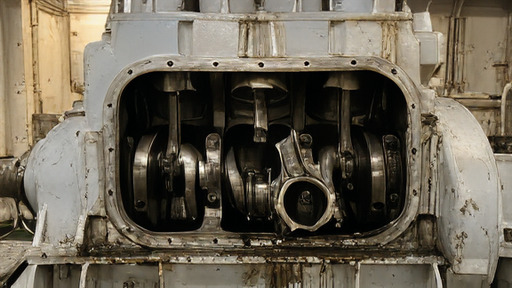
Received photo: a ship engine with a broken rod
“Rod is broken on number two. Send the part.”received

Maritime, fishing and offshore

Engineers · skippers · offshore crews · fleet offices ashore
  • PhotoA broken rod, a burst line or a fouled propeller, sent to shore-side support
  • VoiceA daily update to the fleet office, or a few words home from the crew
  • FileA noon report or a spares list
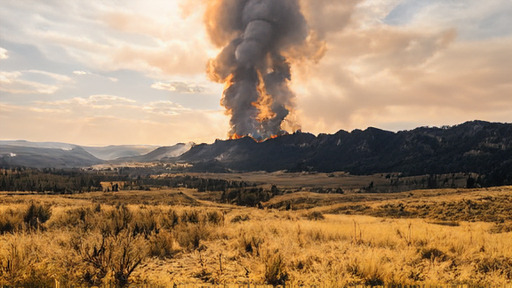
Received photo: a wildfire behind a ridge
“Smoke moving east, over the ridge now.”received

Emergency and humanitarian response

Assessment teams · logistics officers · coordination centres
  • PhotoA fire front, a washed-out bridge or the state of a camp
  • VoiceA short situation report from the field
  • FileA needs list for the next convoy

Adds pictures and voice alongside SOS devices and radio, never in place of them.

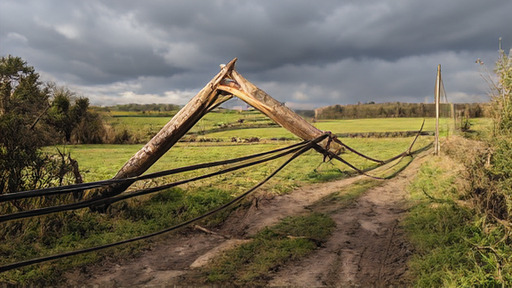
Received photo: a snapped power pole over a track
“Pole snapped. Line on the track, keep clear.”received

Utilities and telecom field crews

Line crews · tower and fibre technicians · water and power maintenance
  • PhotoA fallen line, a burnt transformer or a dish torn loose
  • VoiceWhat the crew found on site, for the repair desk
  • LockedSite access details, readable only on the paired engineer's phone
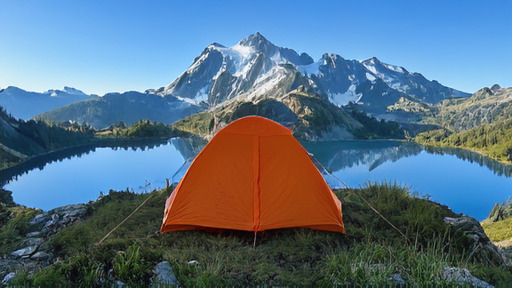
Received photo: a tent by a mountain lake
“Made camp. No signal, all safe.”received

Expeditions and outdoor

Guides · expedition leaders · sailors · overland travellers
  • PhotoTonight's camp, or the bridge that has gone
  • VoiceA check-in home, in your own voice
  • FileRoute notes and waypoints for the support team
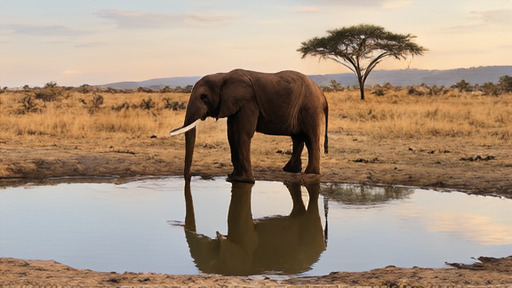
Received photo: an elephant at a waterhole
“Lone bull at the east waterhole, 18:10.”received

Agriculture, forestry and conservation

Rangers · farm and ranch managers · field researchers
  • PhotoA tractor that has stopped, a dry water point or an animal on a patrol route
  • VoiceA patrol observation, recorded on the spot
  • FileA survey tally or a count sheet
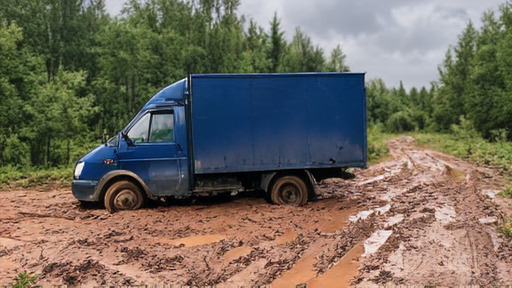
Received photo: a blue truck stuck in mud
“Bogged to the hubs. Need a tow.”received

Remote logistics and convoys

Drivers · dispatchers · recovery teams
  • PhotoA truck stuck in mud or a blocked road, so the recovery team brings the right kit
  • VoiceA delay explained in ten seconds
  • LockedDelivery details for the dispatcher only
Status · November 2026

What's tested and working today

We would rather show you what we have measured than promise coverage. This is where Pyrseia stands today.9

TestedOrdinary SMS, iPhone to Android

Sent as ordinary SMS over a commercial mobile network, including one message of 46 segments.

TestedThrough a chat app

A photo and a voice note copied out of a chat app and pasted into Pyrseia opened on the other phone.

TestediPhone and Android, same message

Both apps make byte-identical messages from the same input, and each opens the other's.

TestedPrivate pairing

Two phones paired in person by QR code. Locked messages checked against our reference implementation in both directions.

Built inNumbered parts

Long messages split into parts of 1 to 10 SMS each. The parts can arrive in any order and are put back together on the phone.

On requestInside your app or terminal

The codec already runs inside both of our apps, on iOS and Android. Integration builds for partners on request.

Privacy and security

Private by construction

Messages never pass through a Pyrseia server. A message exists only as text in the channel the user chose, and nobody needs an account to send or receive.

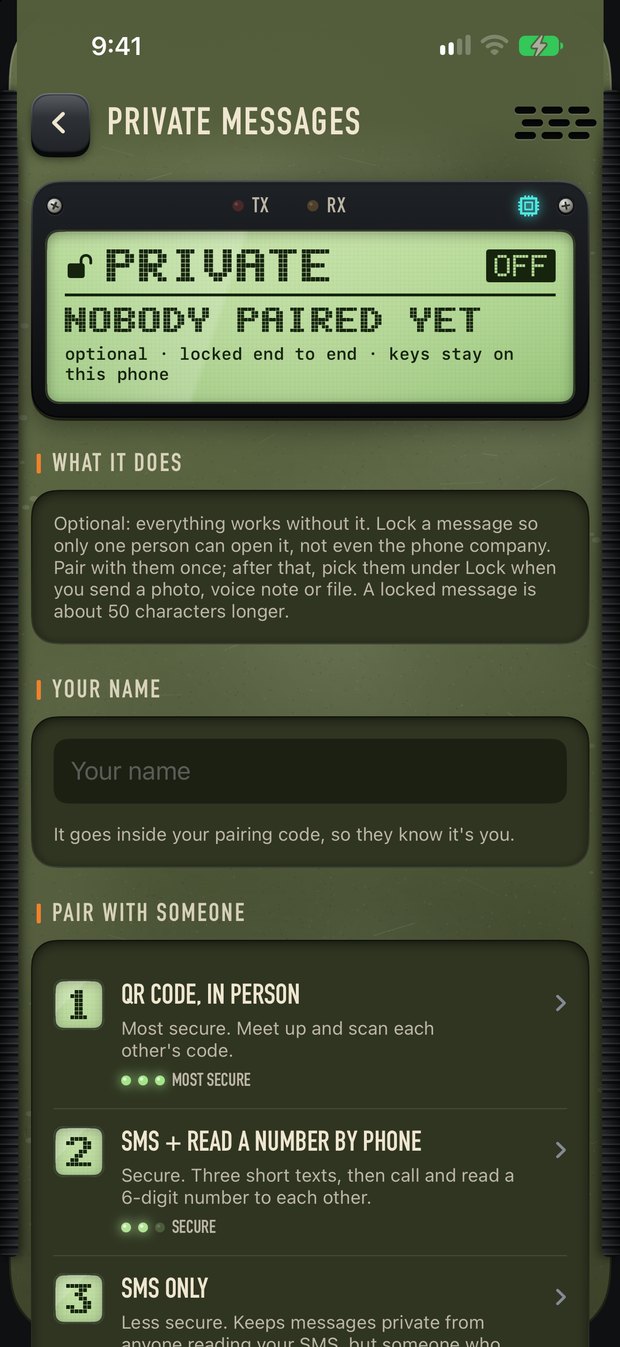
For sensitive traffic, users can lock a message to one paired person with end-to-end encryption built on standard, well-reviewed cryptography. Locking is optional; everything else works without it.

Key agreement
X25519, keys generated and kept on the phone
Encryption
ChaCha20-Poly1305 authenticated encryption
Pairing
QR code in person, or three texts plus a 6-digit check read aloud on a call
Overhead
About 50 characters per locked message
Accounts
None. No sign-up, no phone number collected
Servers
None in the message path
The app

A rugged handset, on any phone

The interface is built like field equipment: big keys, a backlit LCD and clear status at every step. It runs on iPhone and Android.

For operators and manufacturers

Pictures and voice for your text service

Satellite operators, direct-to-device networks, handset makers and messaging providers can offer photo and voice messaging on the text links they already run.

No network changes

It rides on the SMS and messaging you already carry. There is no server or gateway to host and nothing to change in the network.

New traffic on existing plans

A photo is about 6 to 13 SMS segments and a voice note 2 to 8, on the text plans you already sell.

Runs on the handset

Tested on recent iPhones and Android phones. The models install once with the app, about 600 MB; after that no data connection is needed.

How an evaluation runs

From first call to measured results on your network

01

Briefing

A technical session under NDA: how Pyrseia fits your bearer, your handsets and your subscribers.

02

Test builds

Builds for your team, set to your service's message length and character limits.

03

Field results

Message sizes, delivery and picture and voice quality measured on your live network, written up for your engineers.

04

Terms

Integration in your software, or the app under your brand, on terms that fit your service.

Talk to us

Let's test it on your link

We are looking for satellite operators, direct-to-device networks and handset makers to run the first field tests with, and to bring pictures and voice to their text services.

contact@pyrseia.app

IntegrationThe codec inside your messaging app, terminal or handset software.
Sized for your bearerMessage sizes and splitting tuned to your payload limits and character set.
White labelThe Pyrseia app under your brand for your subscribers.
EvaluationTest builds and measured results on your network.
Questions

What buyers ask first

Does the person receiving need Pyrseia?

Yes. The text turns back into a photo or a voice note only in Pyrseia, or in a partner's app with the same codec. In an ordinary messaging app it shows as a block of letters and numbers.

Does it need mobile data or Wi-Fi?

Not to send or receive. The app and its AI models install once from the App Store or Google Play. After that, all the work happens on the phone and the message travels as text.

How is a message sent today?

The sender taps Copy and pastes the text into an SMS or a chat. On Android, an SMS key opens the messaging app with the text filled in. The receiver copies the text and taps Paste in Pyrseia. Long messages can go as numbered parts in any order.

What does a message cost to send?

Whatever the sender's plan charges for SMS. The app shows the number of SMS segments before anything is sent: usually 6 to 13 for a photo and 2 to 8 for a 10-second voice note. The link budget above works out the cost at your own price.

Is it an emergency system?

No. It is for everyday and operational messages. Keep SOS devices, emergency calls and radio for emergencies; Pyrseia can add a picture or a voice note alongside them.

Which phones does it run on?

iPhone with iOS 17 or later, and Android 8 or later. We have tested it on current iPhone and Android models, including a foldable.

The name

One of the first data networks ran on fire

In ancient Greece, the pyrseia sent messages between hilltops with torches. The historian Polybius describes a system in which the alphabet sat in a five-by-five square and each letter was signalled by its row and its column. Our logo is that square, spelling our name.

How the numbers were worked out
  1. Photos shown on this page: 25 sample photos in 16:9, each encoded with the Pyrseia reference implementation at the app's 384 px and 512 px settings, full quality, and opened again from its text. All 25 came to the same size: 911 bytes (384×216 px, 1,186 characters, 8 SMS segments) and 1,341 bytes (512×288 px, 1,746 characters, 12 SMS segments). The received pictures are the actual decoded output. Other photo shapes and quality settings give other sizes.
  2. A 24-megapixel phone photo measured at 2.5 MB as HEIC (5.2 MB as JPEG). Chat-app copy: the same photo at 1600 px long side as JPEG, about 320 KB.
  3. Voice: three 10-second speech clips (clean English, noisy English, Mandarin) encoded at the three quality settings. Mean 824, 420 and 217 bytes; 8, 4 and 2 SMS segments. 824 B × 8 / 10 s ≈ 0.66 kbps; 217 B × 8 / 10 s ≈ 0.17 kbps.
  4. Time = bytes × 8 / 2,400 bit/s, payload only, with no protocol overhead, retries or latency. 911 B → 3.0 s; 1 KB (1,024 B) → 3.4 s; 18,681 B (mean JPEG of the 25 samples at 384×216, quality 75) → 62 s; 320 KB → 1,067 s ≈ 18 min; 2.5 MB → 8,333 s ≈ 2.3 h. 340-byte payloads = bytes ÷ 340, rounded up. These are calculations for comparison, not measurements on a satellite link.
  5. Average over 11 test photos at full quality: about 6 SMS segments at 256 px, 9 at 384 px and 13 at 512 px. Lower quality settings use fewer.
  6. A 744-byte text note packed to 223 bytes and sent as 2 SMS, tested in the app. Files above 1 MB are refused before reading; the packed limit is 8 KB.
  7. GSA (Global mobile Suppliers Association), Non-Terrestrial Networks report, April 2026: 275 publicly announced partnerships between mobile operators and satellite companies, across 101 countries and territories.
  8. Apple, About Messages via satellite on your iPhone: photos, videos and audio messages are not supported over satellite.
  9. Tests by Aaratus, November 2026, with our iPhone and Android test builds and our reference implementation.
  10. SMS segments: one standard SMS holds 160 GSM-7 characters; a long SMS is split into segments of 153.